Restaurant
Keep the restaurant's details up to date
Review your business name, address and contact phone as the farm sees them.
Watch the walkthrough · 0:47
Keep restaurant details current
Narrated demonstration. Use Play, pause or replay at your own pace. Use fullscreen for small details. The written steps below remain available.
Download video: Keep restaurant details currentRead the transcript
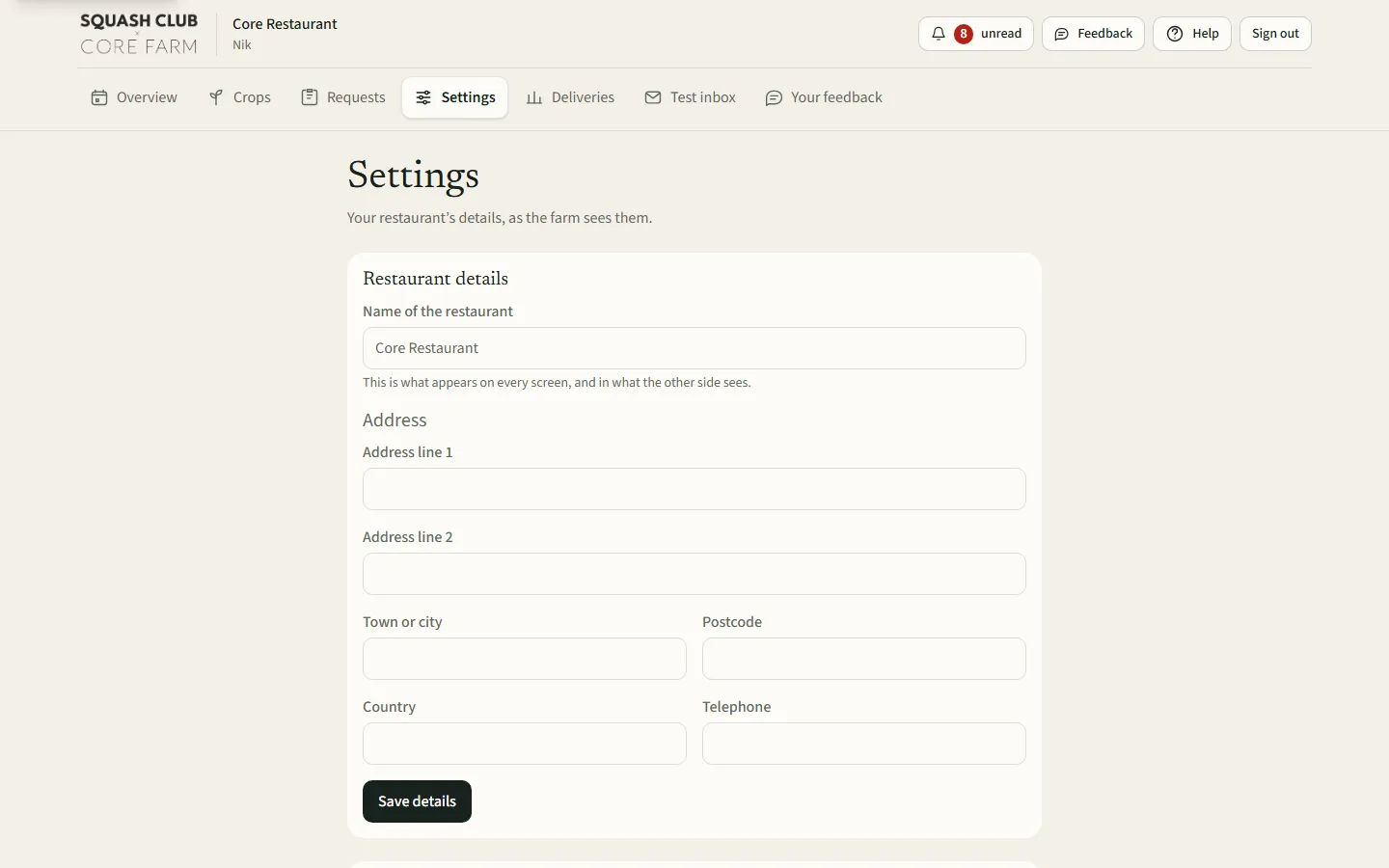
Open Settings to review the restaurant's business name, address and telephone. Allowed managers can update these details; others have a read-only view.
Enter the details that apply, then Save details and wait for confirmation. The name helps the farm identify your business. This page does not change a personal password or payment account.
Changing your address does not rewrite issued delivery notes or an existing preparation's destination. Ask the farm to review those records separately when a delivery needs a correction.
Use Manage restaurant team when your role allows it. That team belongs to this restaurant; farm access is separate. Ask an allowed manager for a change when your controls are read-only.
Jump to a section
Update business details
- Open Settings and review Restaurant details.
- If you have settings permission, enter the restaurant name and any needed address lines, town/city, postcode, country and telephone.
- Choose Save details and wait for confirmation. The business name is used throughout the app and in what the farm sees.
Example
Correct the kitchen's postcode and telephone, then tell the farm in the agreement conversation if an upcoming delivery needs different instructions.
Existing delivery records
Editing the restaurant profile is not an instruction to rewrite historical delivery notes. Prepared destinations and issued notes retain their own recorded details.
Ask the farm to review an existing delivery destination or issue a corrected address note when appropriate.
Read-only details and team access
Without settings permission, the page shows the saved name and address with an explanation of who can change them. Ask a restaurant manager for a correction.
An eligible manager can choose Manage restaurant team under People and access to invite colleagues or review roles. Team management opens the shared administration interface for this restaurant only.
This page changes business details; it is not a personal account profile, password editor or payment-settings page.
See the screen
Reviewed 2026-10-11. This is a guide to current behaviour; the app may change. Actions depend on your permissions.