Settings
Farm settings: business details and request alerts
Keep farm contact information clear and decide who should hear about new requests.
Watch the walkthrough · 0:47
Update farm details and alerts
Narrated demonstration. Use Play, pause or replay at your own pace. Use fullscreen for small details. The written steps below remain available.
Download video: Update farm details and alertsRead the transcript
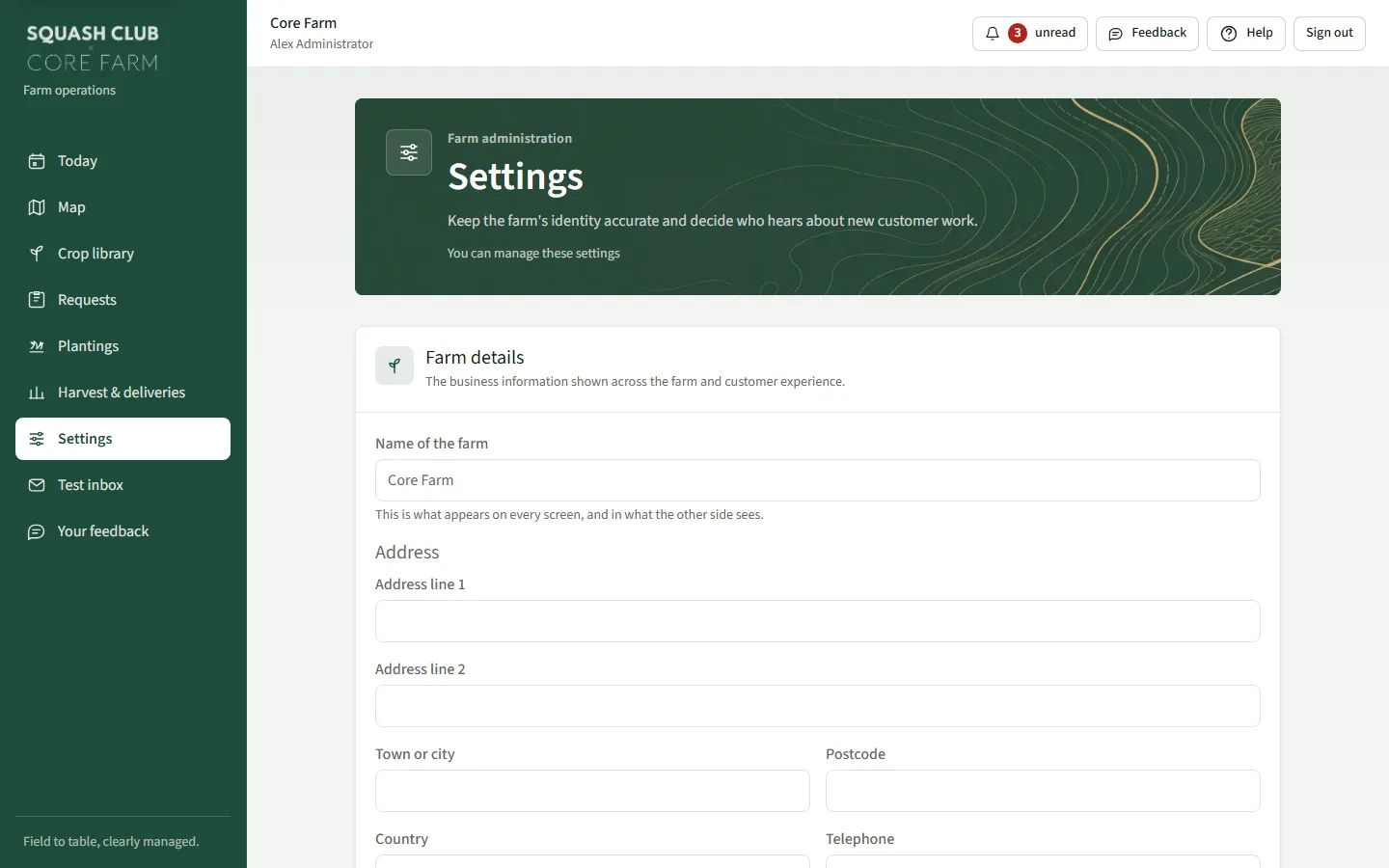
Open Settings to review the farm's name, address and contact details. An allowed settings administrator can make changes; other staff may see a read-only view.
Enter the farm details that apply and save when ready. Check the confirmation and displayed name. Updating an address does not rewrite historical delivery documents or create a new growing site.
Use the request-notification setting to notify everyone who can see requests or administrators only. Save it explicitly. This changes alerts, not who can see the request queue.
Use People and access for the team. Site or system setup may need the system owner. Keep individual account access separate from changing the farm's business details.
Jump to a section
Update farm details
- Open Settings and review the farm's business details.
- With settings-management access, update the required farm name and any address or contact fields that apply.
- Save and check the confirmation and displayed farm name.
Example
Update the farm's telephone and postcode before the team begins deliveries. The new details can be used going forward, while an already issued delivery note keeps its saved snapshot.
Permissions and existing records
Staff without settings-management access may see a read-only view. Ask the administrator to make a business change rather than using another person's login.
Updating a name or address does not rewrite historical document snapshots or create a new growing site. Site and system configuration may require the system owner.
Choose who receives a new-request alert
- Open the request-notification setting.
- Choose whether everyone who can see requests should hear when a new one arrives, or leave the setting limited to administrators.
- Save the setting explicitly.
Example
A small farm can notify the whole request-handling team. A larger farm can keep new-request alerts with its administrators and allocate review work from the queue.
Alerts and access are separate
This setting affects the audience for farm-directed request notices, including shared messages and decisions as well as new requests. It does not grant request access or remove requests from an authorised person's queue.
Growing, delivery and feedback notices follow their own recipient rules. Use the bell to read in-app notifications, and use People and access to manage the team.
See the screen
Reviewed 2026-10-11. This is a guide to current behaviour; the app may change. Actions depend on your permissions.