Restaurant
Follow deliveries, collection and delivery notes
See what is planned, packed, sent and recorded received, with printable notes.
Watch the walkthrough · 0:50
Follow delivery and collection
Narrated demonstration. Use Play, pause or replay at your own pace. Use fullscreen for small details. The written steps below remain available.
Download video: Follow delivery and collectionRead the transcript
Open Your deliveries or follow Next delivery from an agreement. Choose View delivery and review destination, crop lines, assigned worker and the named agreement period.
Starting preparation reserves usable stock and allowance. Ready means packing is recorded. Sent means it left the farm; handover not recorded does not prove receipt. The farm records Delivered or Collected through the appropriate route.
Open Delivery note to view or print the dispatched quantities and destination. Check any superseded or corrected notice; a delivery note is a snapshot, not another charge or signed receipt.
An agreement or expected harvest does not automatically create a delivery. Check the grow log and use Conversation for a discrepancy. Less received does not automatically return produce to farm stock.
Jump to a section
Open a delivery
- Open Your deliveries, or follow a Next delivery or Delivery progress and notes link from your agreement.
- Choose View delivery for one delivery. Open Delivery details & notes to see the destination, assigned worker, crop lines and agreement period.
- Compare Planned, Packed, Sent and Received where recorded. Open Delivery history for preparation, problems, date changes and handover facts.
Example
A line can show 10 planned, 8 packed and sent, and 7 received. The missing head is visible; the received figure does not replace the sent figure.
What the delivery stages mean
Preparing means the farm has begun preparation and reserved usable stock. Ready means packed quantities were recorded and the produce is ready to go or collect.
Sent means it left the farm. Handover not recorded means receipt has not yet been entered; it does not prove the restaurant has received it.
Delivered or Collected follows the appropriate handover route. The current website records these actions on the farm side; the restaurant delivery view is read-only.
A planned-date change does not change the agreement's selected weekly period. Read the named period and history, and use the agreement conversation to discuss a discrepancy.
For Collection, eligible members can receive a ready-for-collection email after the farm saves actual packing. Choose View collection and check the current date, collection point and quantities before travelling. A later collection, cancellation or change can make an unsent notice obsolete; an already received email remains a record of that earlier notice.
Example
A Tuesday delivery sent late on Thursday still belongs to its recorded agreement period; it should not silently consume the next period's allowance.
View or print the delivery note
- Under delivery details, choose Delivery note · View or print.
- Check the farm, restaurant, destination, dispatched date, crops, quantities and agreed periods.
- Choose Print. Select a printer or Save as PDF in the browser dialog.
Example
Print the numbered note to check a box's crop quantities. It records dispatched produce under the partnership, not another purchase or a signed receipt.
Corrections preserve old notes
A farm correction can issue a new address version, linked to the old numbered note. A superseded notice tells you a newer address version exists.
If a shipment entry is corrected, the original note warns that it no longer represents the current shipment total. Check the grow log for current quantities.
Recording less received does not automatically return produce to farm stock or undo a shipment. The farm must distinguish a recording mistake from a real shortage or physical return.
No delivery or no permission
No deliveries yet can mean the farm has not prepared one. An accepted request or expected harvest is not automatically a delivery plan.
Follow View your grow requests to inspect progress and send a question. If the page says you lack delivery access, ask your restaurant administrator; both request and customer-growing permissions are needed.
See the screen
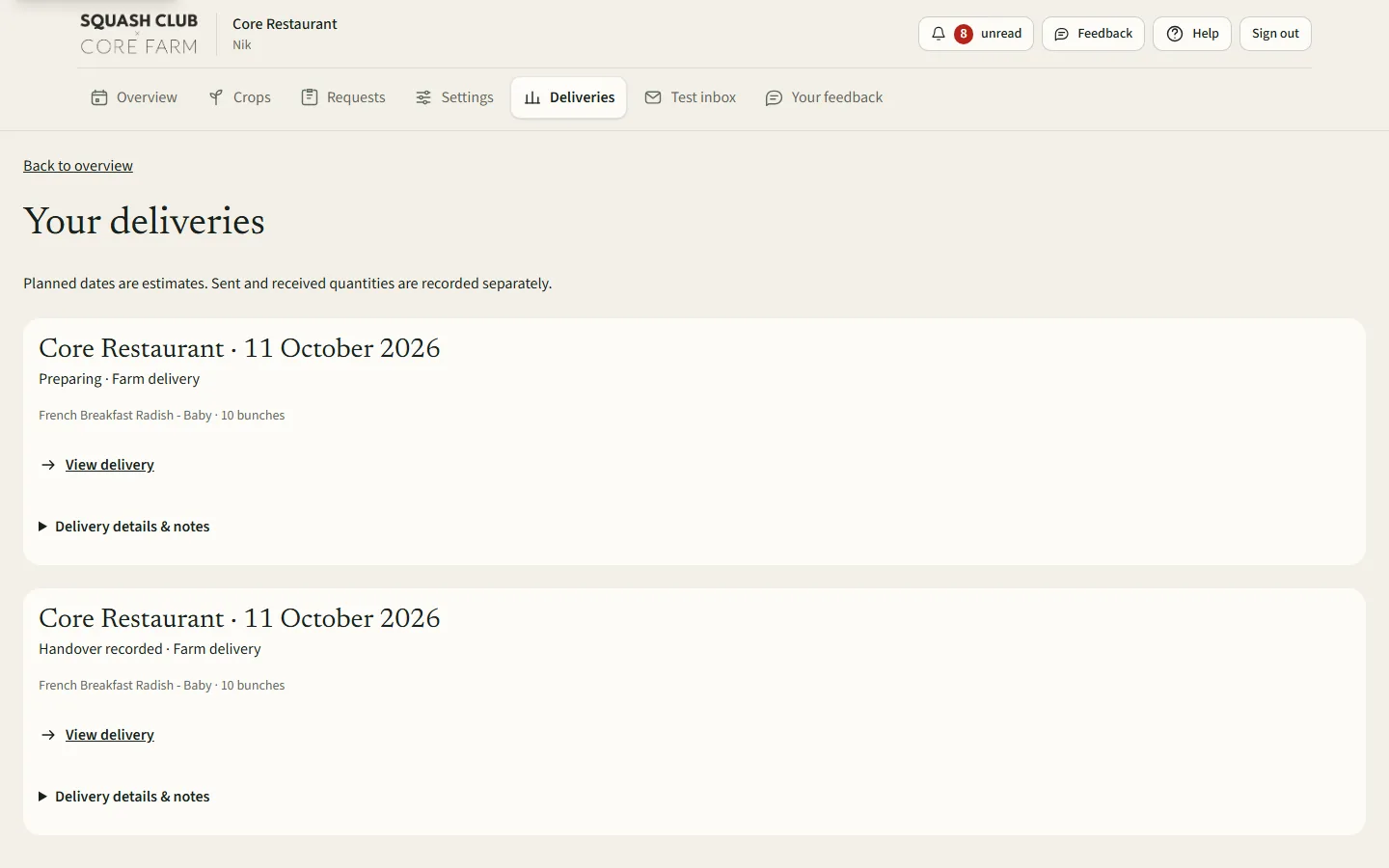
Reviewed 2026-10-16. This is a guide to current behaviour; the app may change. Actions depend on your permissions.