Crop library
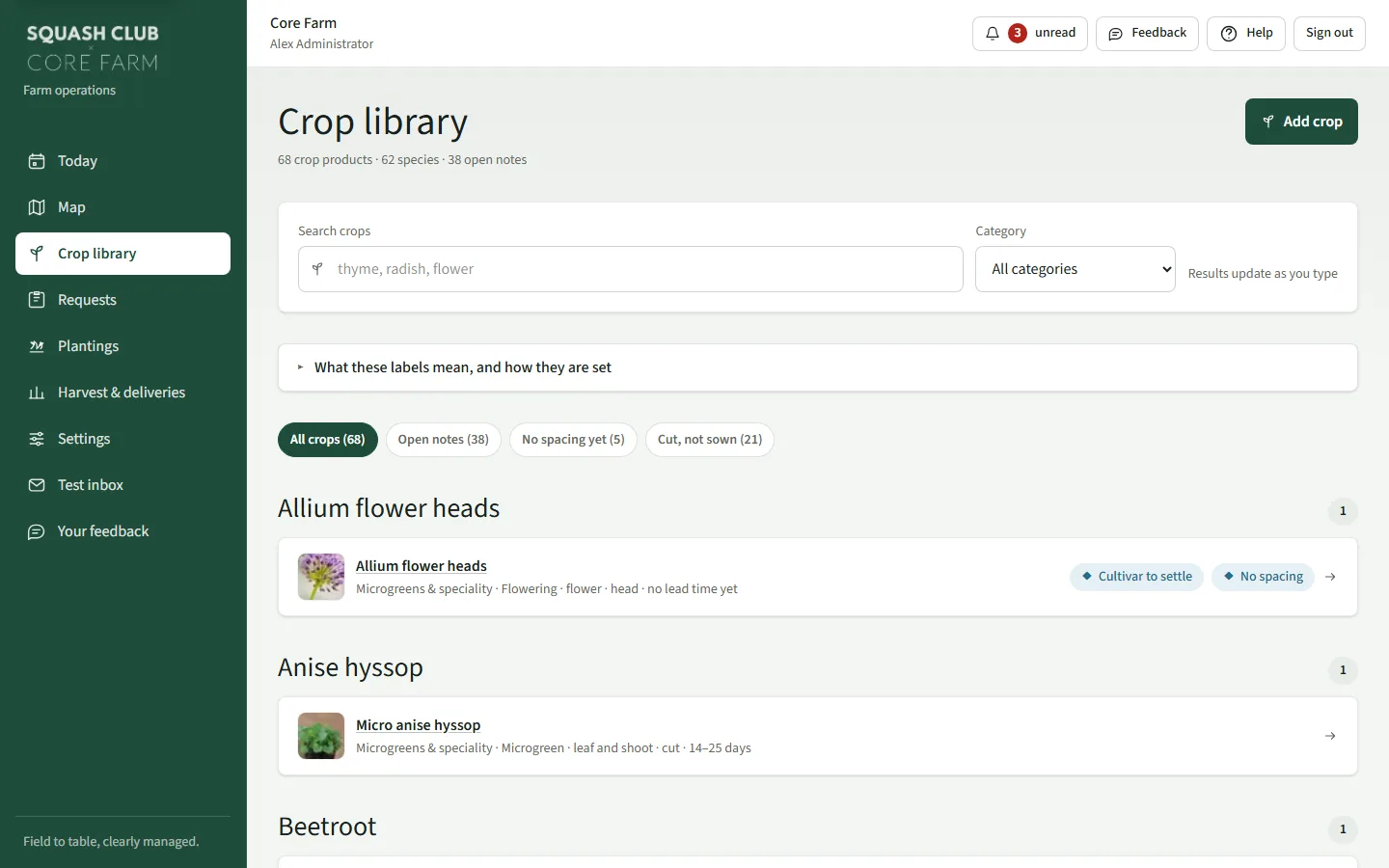
Crop library: find the right growing product
Search crops, inspect their timing and assumptions, and understand what restaurants can see.
Watch the walkthrough · 0:48
Find the right crop product
Narrated demonstration. Use Play, pause or replay at your own pace. Use fullscreen for small details. The written steps below remain available.
Download video: Find the right crop productRead the transcript
Use Crop library to find the growing product you need. Search by plant, variety or edible part, and use category and review filters when useful.
Open a crop to check what is supplied, its units, timing, spacing and yield assumptions. Plant, variety and supplied product describe related but different things.
No spacing yet identifies missing placement information; Open notes identifies research to review. Confidence is a recorded judgement, not a harvest guarantee.
Internal notes and unfinished records are not automatically shared with restaurants. Customers browse eligible published products. Edit only when allowed, and add genuine missing assumptions rather than inventing conversions.
Jump to a section
Search and inspect a crop
- Open Crop library with internal-library access.
- Search by crop, plant, variety or edible part. Use the category and review filters to narrow the list.
- Open a crop to check what is supplied, its request units, timing, spacing, yield assumptions and grower notes.
Example
A lettuce variety can have separate products for heads and cut leaves. Choose the agreed product, rather than assuming every product of that variety has the same unit or harvest timing.
What the filters mean
All crops includes internal drafts and archived records that staff may need to review. No spacing yet highlights crops without spacing suitable for visual placement.
Open notes identifies records needing research or review, rather than a current crop failure. Cut not sown helps separate produce taken from established plants from a newly sown crop.
A confidence label is a recorded judgement about assumptions. It is not a guarantee or a probability calculation.
Understand plant, variety and product
The plant is the species, the variety identifies the cultivar, and the crop product describes the part and form supplied. Some identity information is shared across products of the same plant or variety.
Growing profiles add timing, spacing, seasons and yield assumptions for particular environments and methods. Saved planting plans keep their own recorded assumptions.
Example
Changing a shared variety description can affect its other library products. Changing expected yield does not rewrite a planting that was already saved with older assumptions.
Know what is private
The internal library can include grower notes, research sources, confidence and unfinished records. Those details are not automatically published to customers.
Restaurants browse eligible active, requestable catalogue products and their customer-facing information. Internal library visibility is different from a sanitised public website view.
Editing and planning readiness
Only staff with library-management access can add or edit crops. Other staff can inspect the details they are authorised to see.
A crop can be valid as a library record while still missing assumptions needed for a particular planning tool. The editor and planner identify the missing details; the app does not invent unknown yield conversions.
See the screen
Reviewed 2026-10-11. This is a guide to current behaviour; the app may change. Actions depend on your permissions.