Administration
Review the private feedback inbox
Use reported steps, optional images and version context to investigate and track fixes.
Watch the walkthrough · 0:52
Review the private feedback inbox
Narrated demonstration. Use Play, pause or replay at your own pace. Use fullscreen for small details. The written steps below remain available.
Download video: Review the private feedback inboxRead the transcript
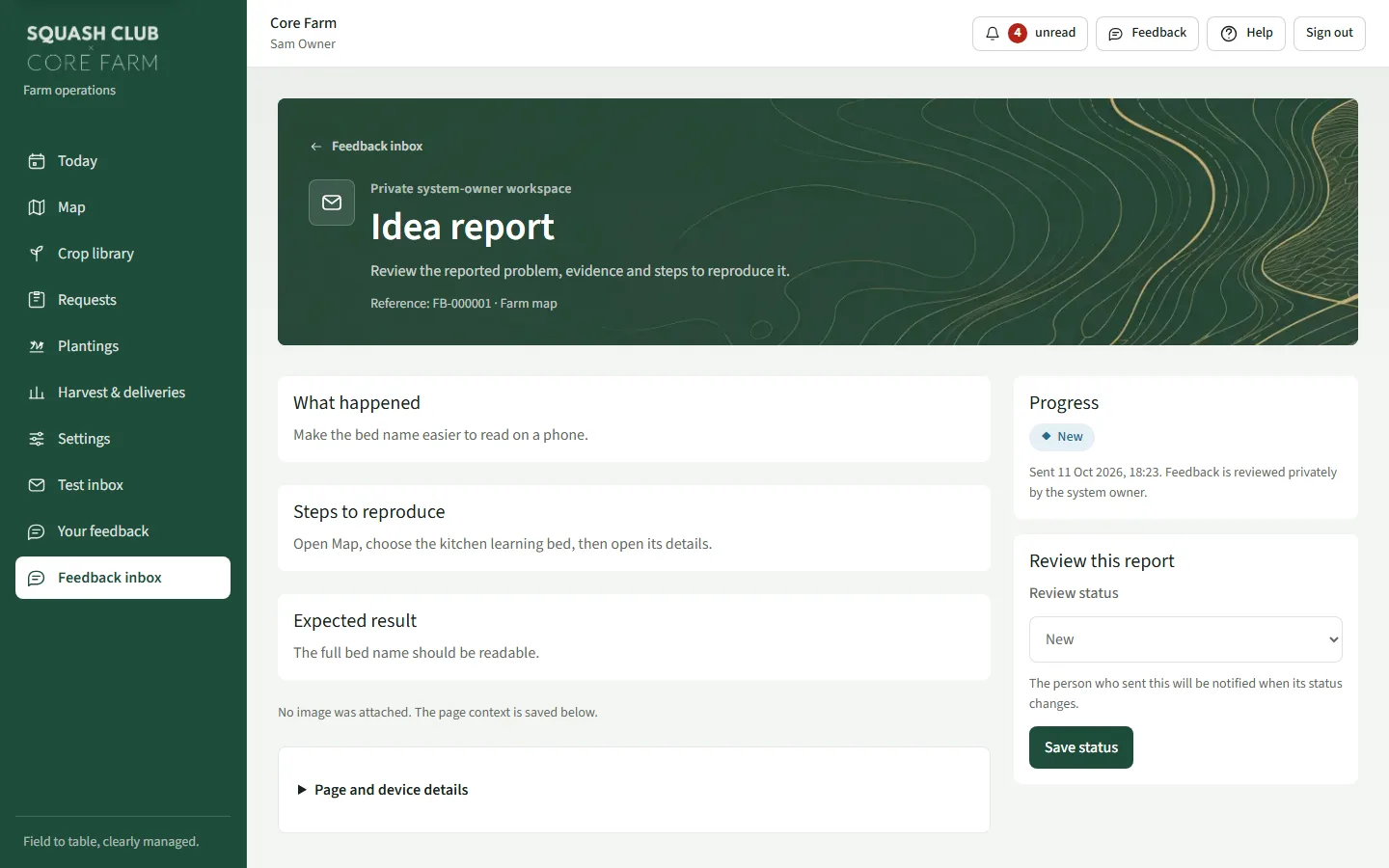
Use Feedback inbox with an active system-owner account. Choose a status filter and open a report to read what happened, the steps, expected result and any picture.
Expand Page and device details to check the reported view, screen and capture context. Reproduce with synthetic data. A known code version can point to the matching source, while local or unknown versions are only context.
The author deliberately shares this report with owners. It does not grant access to all their other records, and it does not contain passwords, browser storage or a full copy of source code.
Choose New, In review or Resolved, then save and wait for confirmation. The reporter is notified. Resolved tracks your review; it does not deploy a fix or automatically prove testing. Refresh a changed report before saving again.
Jump to a section
Open and triage a report
- Use Feedback inbox with an active system-owner account, or follow its new-report notification or generic email link.
- Choose All reports, New, In review or Resolved and Apply filter to narrow the recent list.
- Open a report. Read What happened, Steps to reproduce, Expected result and any attached picture.
- Expand Page and device details to see the reported route, supported filters, section, screen and capture context.
Example
A report says a mobile crop control is clipped. Check its screen width and steps, then reproduce the same view with synthetic data before investigating the layout.
Use the evidence carefully
The report records the author, business and roles at reporting time. Page details are captured when the feedback draft opens; a picture may be attached later.
The server revision identifies the running build when known. For a full known Git revision, Open code at this version links to that source revision in a separate tab; repository access is still required.
Local or unknown revisions are useful context but not a saved copy of all working files. Reports do not include console/network logs, browser storage or a full source snapshot.
The screenshot is optional and deliberately submitted. Treat its content as private evidence; a report does not grant general access to the author's other business records.
Example
Use a known release revision to inspect the matching component, and the reported date/filter to reproduce the state. If those details are insufficient, ask for clearer steps through the team's usual support process.
Current inbox limits
The list shows up to the 100 most recent matching reports. Status filters help narrow it; there is no general report-text search, bulk review, export, assignee field or owner-to-reporter comment composer in the current inbox.
The author sees their own report and status from Your feedback. Farm administrators and restaurant colleagues do not automatically see another person's report.
Feedback emails include a protected report link and generic notice, not its description, steps or picture. Where enabled, Owner email preview shows only messages addressed to your current owner account; Sent to email service is separate from actual inbox receipt.
Record review progress
- Under Review this report, choose New, In review or Resolved.
- Choose Save status and wait for confirmation. The reporter receives a status-change notice and can receive a generic email linking to their protected report.
- If the save says the report changed, use Refresh report, review the current status and apply the intended update again.
Example
Mark a reproducible problem In review while investigating. Once the fix is verified, mark it Resolved; use In review again if a later check reopens the investigation.
Status does not prove a code fix
Review status tracks the owner's work. Saving Resolved does not modify the application, deploy a fix or record a verification result automatically.
Keep the actual fix, testing evidence and release documentation in the development workflow. Use the report reference to connect the investigation to the change.
See the screen
Reviewed 2026-10-16. This is a guide to current behaviour; the app may change. Actions depend on your permissions.