Administration
Administration: know which business you are managing
Keep farm staff, restaurant teams and private feedback distinct.
Watch the walkthrough · 0:47
Manage the right business
Narrated demonstration. Use Play, pause or replay at your own pace. Use fullscreen for small details. The written steps below remain available.
Download video: Manage the right businessRead the transcript
Administration helps you manage the businesses within your authority. A system owner can choose a farm or client restaurant. Check the business name before inviting or changing anyone.
Open Manage staff or Manage users for the chosen business. Roles and membership status describe that person's access here, rather than granting global access through a login.
This area manages people and invitations for existing businesses. Owner feedback has its own private inbox. Governance authority does not turn every restaurant's operational records into a general owner portal.
Ordinary farm or restaurant administrators manage their own team from Settings. Available controls follow actual authority, so review the business and role explanation before making a change.
Jump to a section
Open the right administration area
- Open People and access from your farm or restaurant Settings, or Administration when your role offers it.
- A system owner can choose a farm under Farm staff or a restaurant under Client restaurants. An ordinary business administrator is taken to their own team.
- Check the business name and whether the screen says Farm staff or Client restaurant account before inviting or changing anyone.
Example
Use the farm's staff list for a new grower and the client's restaurant list for its chef. The lists represent separate memberships and businesses.
See the screen
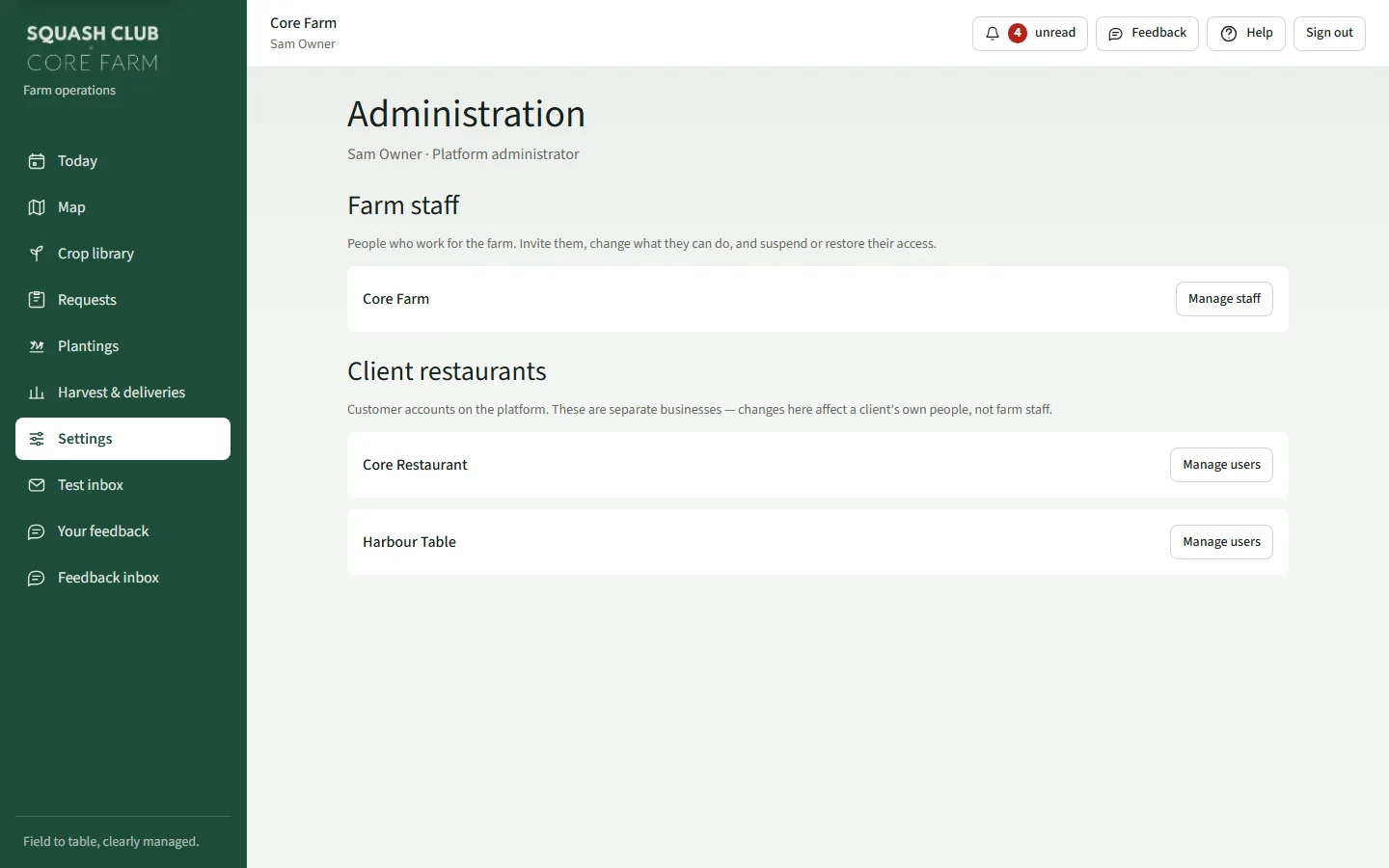
Reviewed 2026-10-16. This is a guide to current behaviour; the app may change. Actions depend on your permissions.